

You’ve created your own website, but now you’re looking for beautiful free images to use. Choosing the right images for your website is crucial. Poor-quality images can harm your website’s credibility.
In this blog post, we share the 5 best websites where you can download free images. We’ll also give you tips on how to use these images without worrying about copyright issues.
How to safely use images on your website
Are you using an image that isn’t yours? Then it’s crucial to check whether you have permission. Simply grabbing images from Google can get you into serious trouble, as you don’t own the photo.
Therefore, we offer two options for your search for the perfect images:
Option 1: Use Images from Google
If you find an image on Google that perfectly suits your website, you can’t directly post it on your website. What you can do is track down the owner. Once you’ve found the owner, you can request written permission. This way, you can post the image on your website without worry.
However, using Google Images remains risky, as you can never be certain whether a copyrighted image has been reuploaded elsewhere.
Option 2: Use stock photo websites
The safest and fastest way to find images is through stock photo websites. Here you can choose from hundreds of thousands of photos that you can use on your website for free.
Below, we’ve listed 5 stock photo websites where you can access them for free.
5 Websites for Royalty-Free Images
#1 Unsplash
The absolute favorite for downloading free images is Unsplash . You can choose from over 750,000 high-quality images. On the homepage, you can browse various categories for inspiration, or use the search bar to instantly find thousands of professional photos for your topic.
#2 Pexels
Unlike Unsplash, Pexels lets you download free videos as well as images. With a library of over 3.5 million images, there’s plenty to choose from!
Unsplash often offers slightly more artistic and professional images, while Pexels is a bit more accessible for general use.
#3 Pixabay
The third website is Pixabay ; they have over a million images, so you’re definitely in the right place.
The difference from the previous websites is that the images on Pixabay are often created by amateurs. While the quality can vary somewhat, it’s definitely a good place to find unique images that aren’t readily available.
#4 Stocksnap
At Stocksnap, you can browse thousands of images for your website, online store, or blog. Like Pixabay, many of these photos are created by hobbyists, creating a nice contrast with the clean images on platforms like Unsplash.
#5 Webador Editor
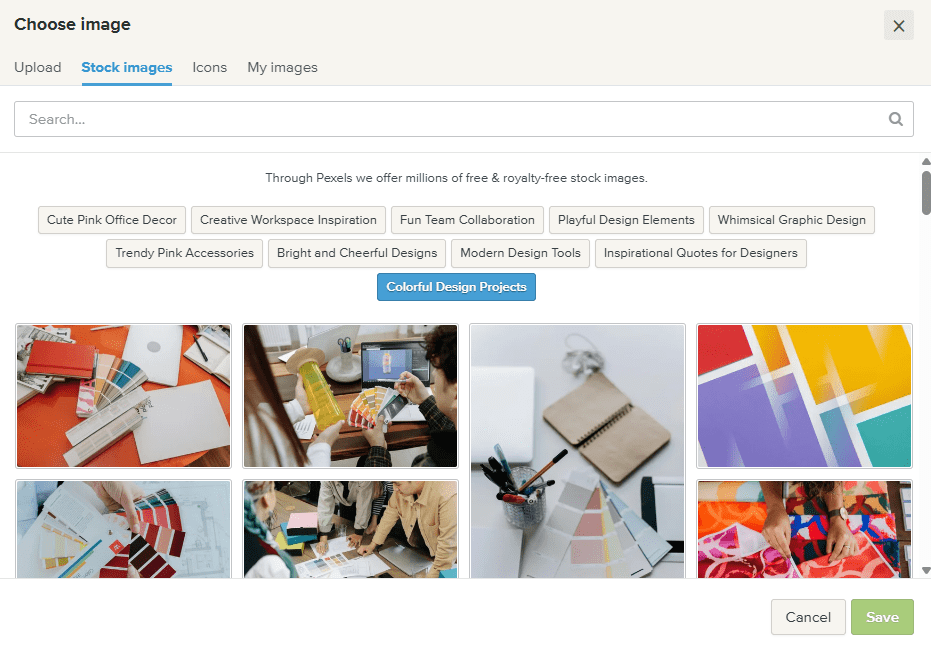
Did you know you can also add photos directly from our editor ? To insert an image, simply drag the image element to the desired location. Then, you can choose from thousands of royalty-free images from our library. Enter a keyword and choose an image that you can place directly on your website!
Want to know more about image licensing?
Want to know everything about legally using images on your website? Then we recommend visiting this website . It’s important to read this carefully so you can use your chosen images with confidence!
Conclusion
Good images are essential for taking your website to the next level. They can increase your conversion rate and create a great experience for your visitors. With the websites above, you’re guaranteed to find the best images for your own website!
If you don’t have your own website yet, get started now!